- Required Prerequisites
- Google Ads MCC Account
- Google Ads Sub-Client Account
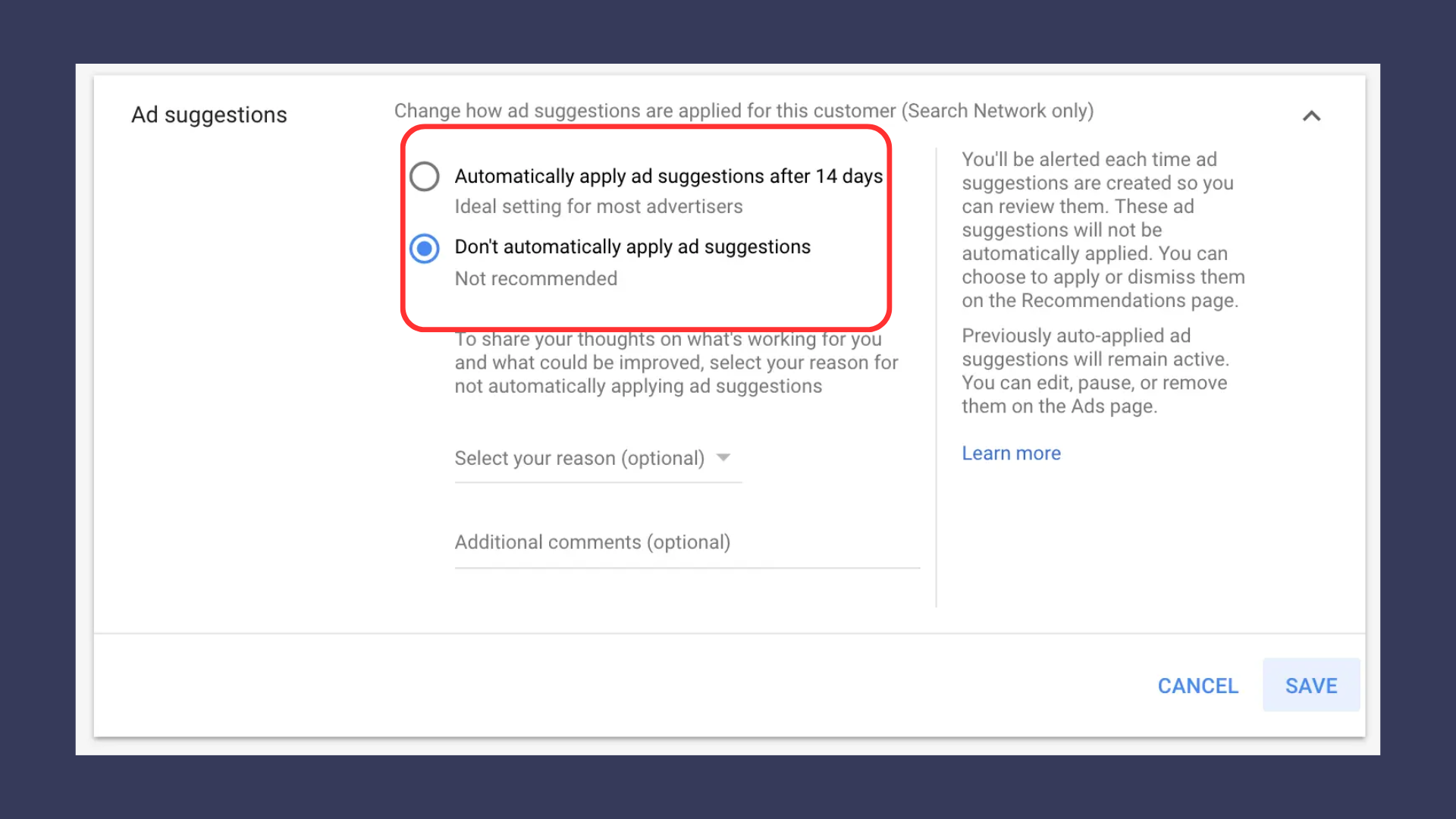
Background: We first noticed a change about two months ago when suddenly Google removed the do not auto apply suggestions setting in account settings within Google ads.
Then just yesterday when reading through updated Google Rulebook which is now all about automation we noticed another subtle change with enormous implications. Google has changed another recommendation that is now housed under the ads tab. This change is that ad suggestions will auto apply after 14 days!!!
If you have a single account you cannot turn this off and are from here on out at the mercy of Google and whatever they want to change to your ad creatives. If you have an MCC you can follow the steps below to turn off Auto applied ad suggestions.
If you are running Google Ads, the setting under the account settings, “Auto-applied ad suggestions in 14-days” went missing about a month ago. Here is how to turn it off…

Second, Select The Account And Click The “Edit” Button…