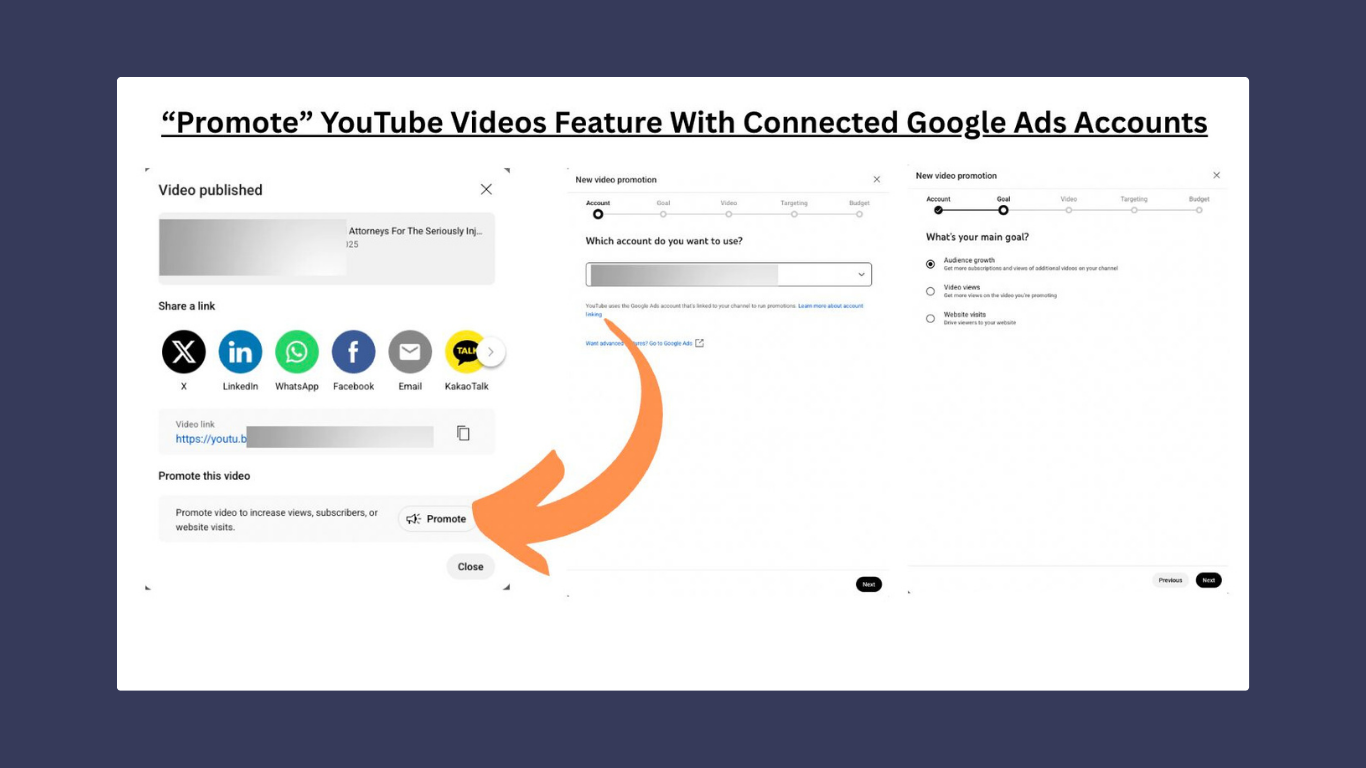
Here’s a recently discovered YouTube feature where a “Promote” button now appears right after uploading a video. One click takes you into a simplified campaign setup that walks you through which Google Ads account you want to link to, goals, video, targeting, budget, and more.
A convenient tool? Yes. But the campaign type it creates is a Demand Gen-style campaign, which focuses more on reach and impressions than precision or compliance. That’s not always ideal for law firms, where careful audience targeting and message control matters.
There is an “Advanced” option that redirects to your full Google Ads dashboard, which gives you more flexibility. Still, this shortcut isn’t something we’d rely on just yet.
Our take: Worth watching, but not fully endorsed. Quick campaign setups often come at the cost of control and for legal marketing, control is everything.