Google Is Pushing Gemini Deeper Into Chrome
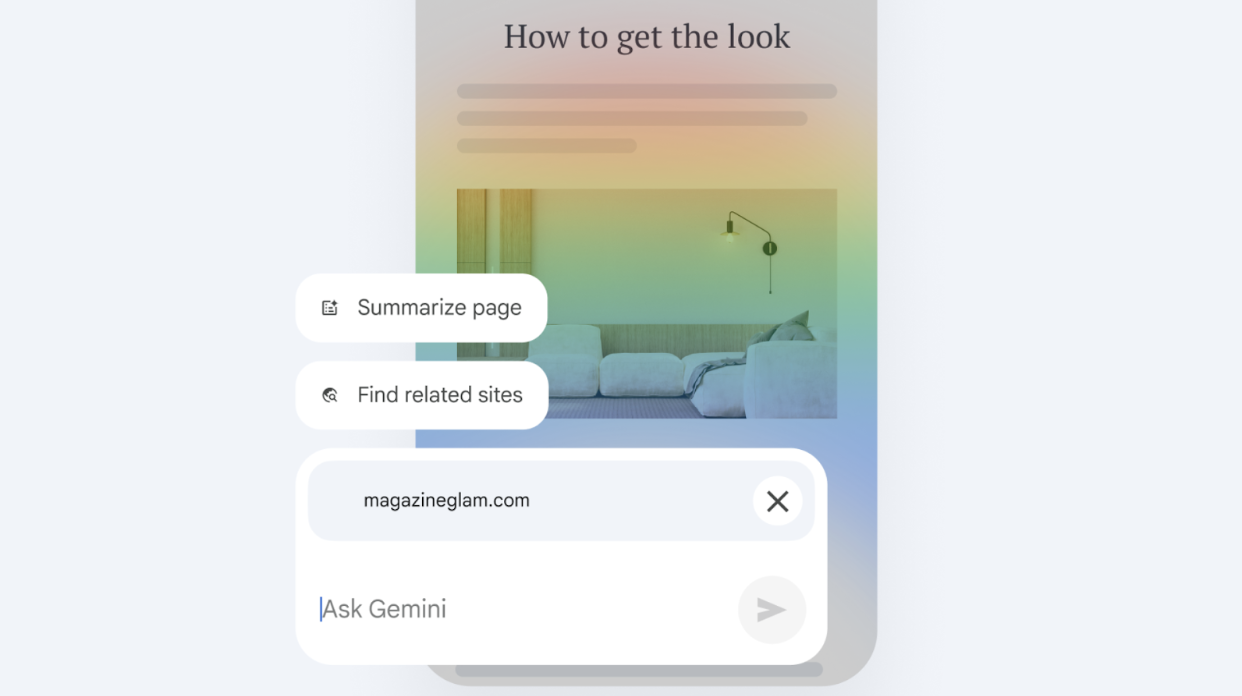
Google just rolled out a new Chrome update that brings Gemini directly into your browser as a built-in assistant for tabs, tasks, and page-level questions.
If you’re seeing a new Gemini button show up in Chrome (or at the top of Google Search), you’re not imagining it. This is a deliberate push.
What Google Says Gemini in Chrome Does
According to Google, Gemini can help you:
- Manage tabs and tasks more easily
- Ask questions about the page you’re currently viewing
- Get more relevant answers by using page context
To do this, Chrome shares page content and URLs with Google while the feature is active. Google says this data isn’t used to train its generative AI models and notes that the feature can be turned off at any time in settings.
What This Looks Like In Practice
For most users, Gemini in Chrome doesn’t unlock anything dramatically new. It’s essentially a contextual assistant layered on top of the browser – useful in theory, but limited in real-world workflows.
If you already know what you’re doing, or already use an AI tool intentionally (like ChatGPT or Gemini’s standalone app), this may feel redundant rather than helpful.
Why Google Is Pushing This Now
This update fits a much bigger picture: Google is all-in on Gemini right now.
After repositioning itself in the AI race, Google appears focused on driving adoption, not just through standalone apps, but by embedding Gemini everywhere users already are. Chrome, Search, and Workspace are obvious distribution points.
The new Gemini button in Chrome and Search lowers friction and nudges users to engage, even if they didn’t ask for it.
Adoption Over Utility?
The ability to unpin the button or opt out suggests Google expects pushback.
For many users, this feels less like a must-have feature and more like an adoption strategy, similar to how Google has historically promoted new products by placing them front and center.
That doesn’t make Gemini bad, but it does mean the placement is intentional.
Bottom Line
Gemini in Chrome isn’t harmful and it may eventually become genuinely useful, but right now, it’s more of a platform push than a productivity breakthrough.
If it doesn’t fit your workflow, disabling or unpinning it is a reasonable choice. As with many Google updates, the best approach is awareness first, adoption second and opting in only when the value is clear.