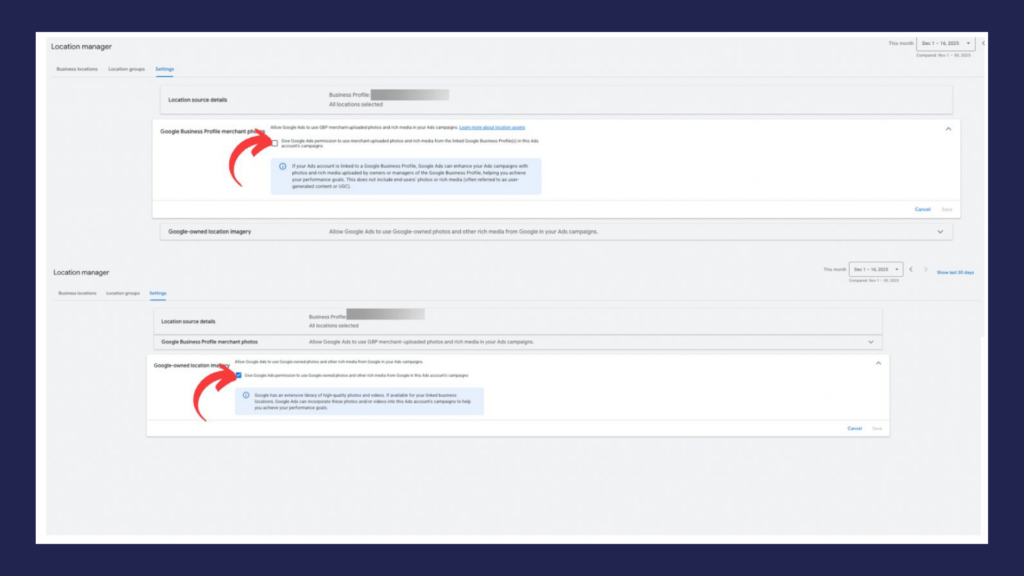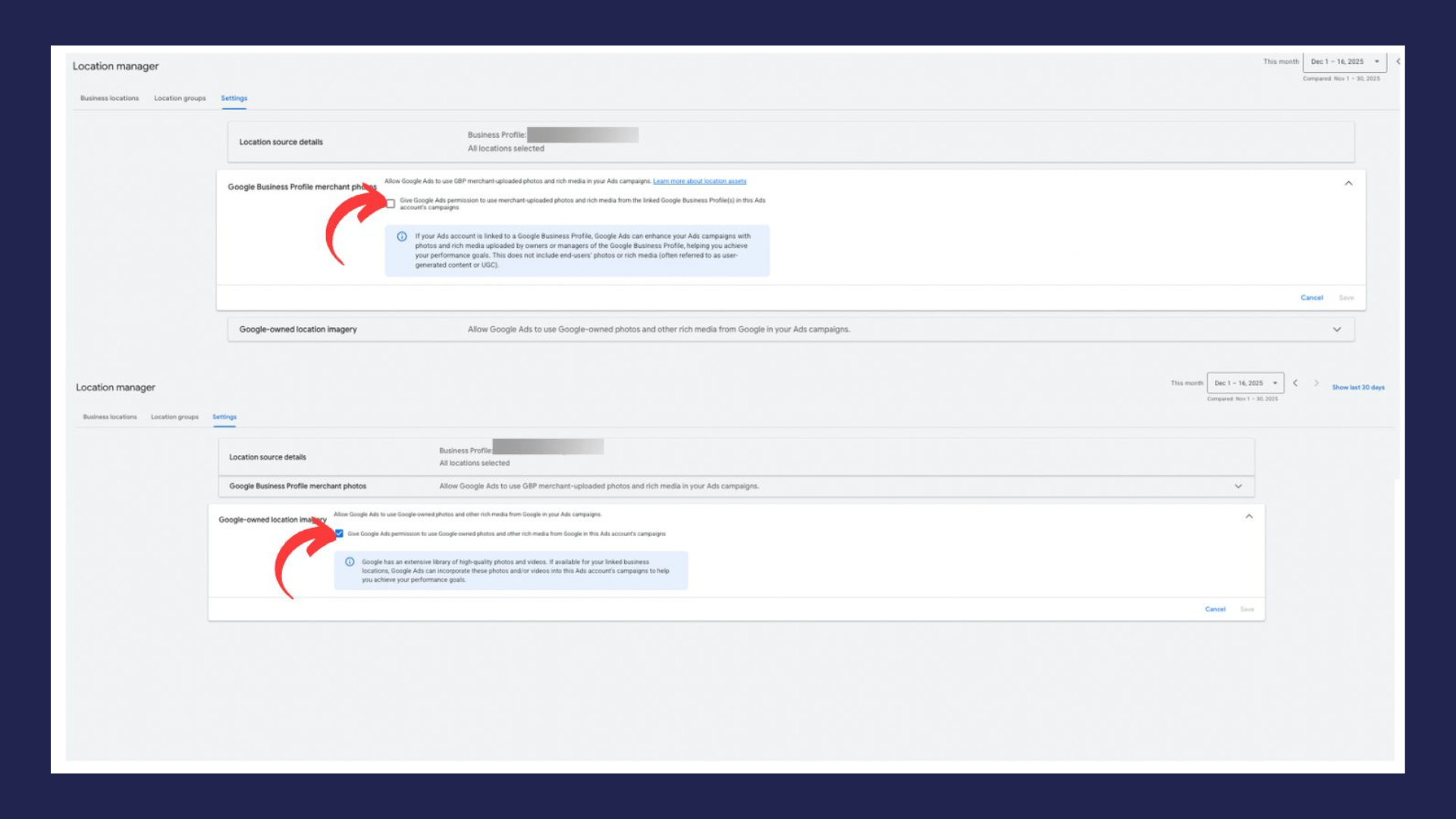
A newly spotted setting inside Location Manager is raising eyebrows among advertisers — not because it’s obviously harmful, but because it appears to be enabled quietly and buried deep in account settings.
Alongside the familiar “Automated Location Assets” option, advertisers are now seeing a new permission:
“Give Google Ads permission to use Google-owned photos and other rich media from Google in this Ads account’s campaigns.”
According to the description, Google may pull from its library of photos and videos — likely sourced from places like business listings — and automatically incorporate them into ads if deemed helpful for performance.
On the surface, this sounds convenient. In practice, it raises questions about control, brand consistency, and transparency.
What This Means
If enabled, Google could automatically insert visual content tied to your business locations into campaigns, including:
- Photos associated with your business listings
- User-generated images from location profiles
- Videos connected to those locations (if available)
- Other Google-owned media assets
These visuals may appear without manual upload or explicit creative approval.
For multi-location businesses and professional services firms, that lack of control can be significant.
Why Advertisers Are Concerned
Brand control becomes unpredictable
Not all publicly available photos represent a business the way it wants to appear in paid advertising.
Quality varies widely
User-uploaded images can range from polished to unflattering.
Compliance risks may exist
Certain industries — especially legal and medical — require careful control over marketing claims and visuals.
Transparency is limited
The setting appears deeply nested and may be pre-enabled, meaning advertisers could be opted in without realizing it.
Our Take
This isn’t necessarily a “bad” feature — in fact, high-quality location imagery could improve ad performance for some businesses.
The real issue is control.
Automated creative decisions work best when advertisers clearly understand what’s being used, where it’s appearing, and how it aligns with their brand. Hidden or default-enabled settings make that difficult.
In the AI-driven era of advertising, platforms are increasingly assembling ads dynamically. That makes proactive account oversight more important than ever.
Convenience should not come at the expense of transparency.
What ADSQUIRE Is Doing
We’re taking a proactive, audit-first approach to new automated settings like this one.
Account-Level Reviews
- Checking Location Manager settings across client accounts
- Identifying any pre-enabled automation features
- Documenting changes as Google rolls out updates
Brand Safety Controls
- Ensuring only approved visuals appear in campaigns
- Uploading curated creative assets where needed
- Preventing reliance on unknown or low-quality imagery
Automation With Oversight
- Evaluating whether automated media improves performance
- Disabling features that introduce risk without measurable benefit
- Maintaining manual control for sensitive industries
Transparency for Clients
- Communicating new platform changes promptly
- Explaining potential impacts before adjustments are made
- Keeping campaigns aligned with brand standards
Bottom Line
Google continues to expand automated ad creation tools — including pulling photos and videos directly from its own ecosystem.
While these features may boost performance for some advertisers, they also introduce uncertainty if left unchecked.
Advertisers should review Location Manager settings carefully and decide whether automated media aligns with their brand and compliance needs.
At ADSQUIRE, we monitor these hidden or newly introduced options closely so our clients stay in control — not surprised by what appears in their ads.